Version is corrupted. Try reinstalling the Version through the Game Panel -> Versions tab. If that doesn’t work, upload the server files manually and try again.
Mod/Plugins Issue. Start up the server and look for the error codes. Are there any specific .jar files mentioned? If yes, try to remove these at first and then start the server up once again.
If there are no plugins/mods mentioned, there’s probably a client-side mod installed on the mods folder. The most common mod is RUBIDIUM. Make sure to remove that and let the client know that it can’t be used in the server mods folder.
Mod/Plugin is outdated OR needs a dependency mod/library. The server will display a message of “xxx is expecting xxx, but has ..”
That said, just install the mods needed. This could also be displayed when an older version of mod is installed than needed.
This could also be displayed when the wrong version of Forge is installed.
Minecraft Bedrock or Java Server?

If a client has ordered a Bedrock edition, they will need to have a Vanilla Bedrock egg on their server. Bedrock servers were displayed Java Version changed page before and they could install the versions through there BUT!!! Vanilla bedrock has a certain Java version hard-coded into the launch options that doesn’t let Java versions to launch (check image below).
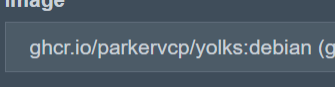
In order to fix this - change client server EGG back to Vanilla Bedrock. If they have erased their server files, reinstall the server through the server Settings tab -> “Reinstall server” button.
If a client has ordered a Java server, and has startup issues, start debugging from the start of this thread.
