Here's a video explaining how to restore a backup of a specific server that is active, but the client wants it to be restored to how it was 2 days ago.
Click here to view the video
Once a client doesn't pay their invoice (or other reasons), their service gets terminated. We keep a copy of their server files in our system for 14-days, just in case the termination was just due to a late payment, etc.
If during the 14-days the client opens a ticket and asks for a copy of their files, we are able to provide them with the files if they buy another active service we can paste them to.
Copy the client's email address and head over to the #termination-log channel in the admin discord server.
Click CTRL + F and paste the email in there. This opens the search results with that email.
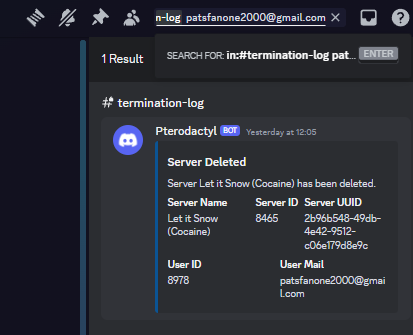
As you can see, this client stopped paying for their service yesterday so it logged it in the channel.
Collect the Server UUID of the service and head over to the "Game Panel -> Admin Area -> Backups".
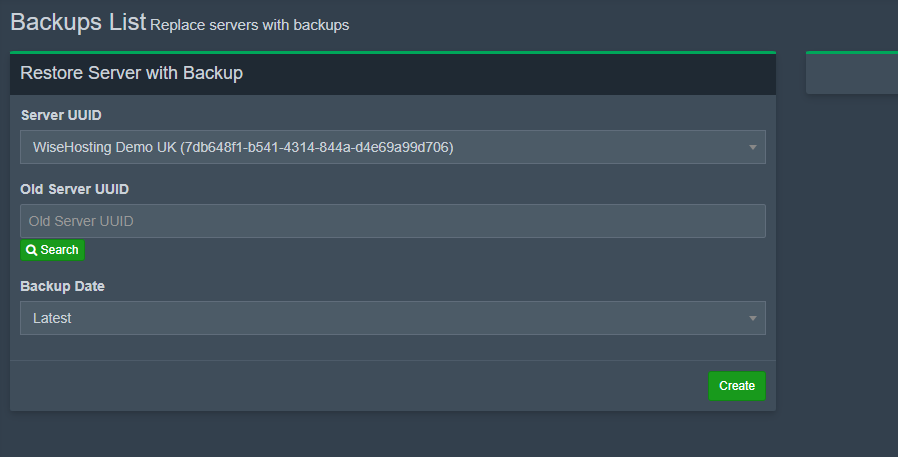
Paste the Server UUID you copied into the "Old Server UUID" box and press "Search".
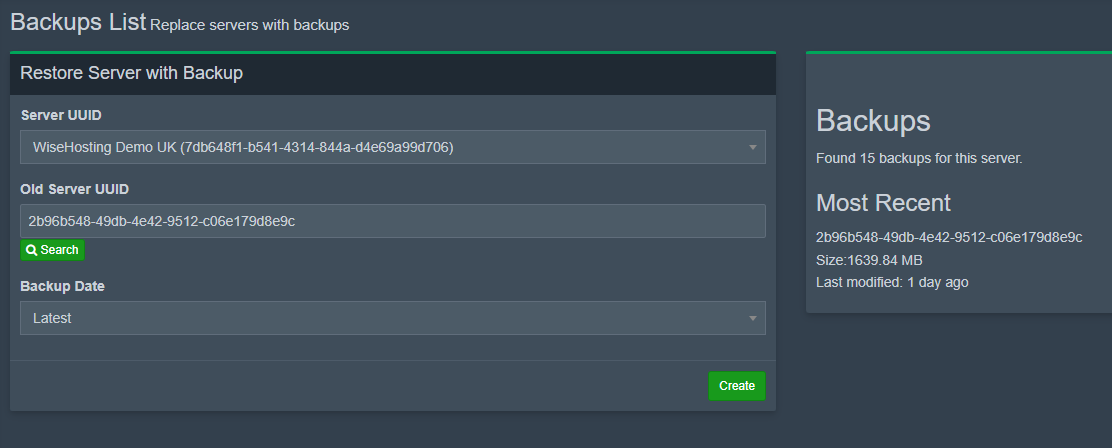
As you can see, it found 15 backups and the most recent one was 1 day ago.
To restore this backup to another server, simply choose the server you want to restore the backup to in the "Server UUID" box and select which backup to restore. Once these steps are done, click "Create" and once the progress has started, close that window!
It'll restore the backup on that server in a .zip file, so once it's uploaded the backup to the files successfully, you can export it from the zip and delete the zip file. After that, you can try turning on the server to make sure it works.
